How to Use a Dyson V15 Detect
Slide the cleaner head on until it clicks, press the trigger to start, and hold the laser on hard floors to reveal dust. Turn it off, swap attachments, and empty the bin when it reaches the line for best results.
On this page (10 sections)
- How to use Dyson V15 Detect on your first day
- What do the controls and the screen mean?
- How do you use the laser cleaner head correctly?
- How do you use the torque drive head on carpet?
- Which attachments should you use for edges and stairs?
- How do you empty and clean the bin without spreading dust?
- How do you clean the filter and keep suction strong?
- How should you push or pull a Dyson V15 Detect?
- Which add-on tools help with gaps the standard heads miss?
- How do you store and charge the V15 Detect between cleans?
Here's how to use a Dyson V15 Detect: centre the laser head, press the trigger, and let the sensor adjust suction as you move. Use the right head for the floor, empty the bin on time, and clean the filter when suction drops.
This guide covers first charge, the trigger, the two cleaner heads, the laser, the screen, attachments, and care. It also notes add-on tools for gaps that standard heads cannot reach.
How to use Dyson V15 Detect on your first day
Charge the battery, click the cleaner head in place, and press the trigger to start. The machine will not run until the battery has charge and the head is fitted correctly.
Put the battery on the charger or click it into the main body if fitted. Wait for the charging light to show a full charge pattern before your first clean, as a full charge from empty takes about 4.5 hours.
Slide the wand into the main body until it clicks, then slide the cleaner head onto the wand until it clicks. Press the red trigger at the back of the main body and hold it down to run, and release it to stop.
What do the controls and the screen mean?
The trigger controls power, and the screen shows mode, run time, and particle count. The LCD screen sits on the back of the main body above the trigger.
Hold the trigger to run and tap the red button on the side to change modes while running. Modes include Auto, Eco, and Boost on most heads, with Eco for longer run time and Boost for short bursts of power.
In Auto mode the machine reads dust levels and adjusts suction. The screen shows a particle count and a run time countdown in Eco and Boost.
The laser head also has a small switch on the head to turn the green laser on or off.
How do you use the laser cleaner head correctly?
Keep the laser head flat and slow on hard floors so the green beam shows dust as you move. The laser is built into the Direct Detect head for hard floors.
Move slowly in straight lines on tile, wood, laminate, vinyl, and stone. The green light rakes across the floor at a low angle, so dust and crumbs glow against the surface.
Pause when the beam shows a line of dust and go back over that line once more. Keep the lens clean with a dry, lint free cloth if the beam looks dull, and do not use water unless your manual allows it.
How do you use the torque drive head on carpet?
Fit the torque drive head for carpet and move it with steady, overlapping passes. This head is made for carpet and rugs, not for the laser effect.
Press the head release button to remove the laser head, then slide the torque drive head on until it clicks. Check that the brush bar spins when you press the trigger.
Move slowly enough for the brush bar to agitate the pile, and overlap each pass by about half the head width. Change heads at the floor edge on mixed floors for better pickup, and see our guide on the Best Dyson Vacuum For Carpet for heavy traffic areas.
Which attachments should you use for edges and stairs?
Use the crevice tool for edges, the soft dusting brush for tops and screens, and the upholstery tool for fabric. The V15 Detect comes with a small set of quick release tools.
Press the red release button on the wand to remove the cleaner head, then slide the tool onto the wand until it clicks. The crevice tool reaches along skirting boards and between sofa cushions, while the soft brush suits shelves and blinds.
For stairs, use the wand with a crevice or upholstery tool and hold the main body by the handle. For tool shapes and when to switch, see How To Use Vacuum Cleaner Attachments?.
How do you empty and clean the bin without spreading dust?
Point the bin over a bag, pull the red lever, and empty before the MAX line. The V15 Detect uses a point and shoot bin that ejects debris without reaching inside.
Hold the bin over a trash bag, pull the red lever on the back of the shroud, and push the base closed until it clicks. Empty when debris reaches the MAX line, as a full bin can cut suction and puff dust back out.
Tap the shroud gently to clear dust from the sides and do not wash the bin unless your manual says it is washable. For allergy homes, empty outdoors, and see our notes on the Best Dyson Vacuum For Allergies.
How do you clean the filter and keep suction strong?
Tap the filter assembly to clear dust, rinse only if your manual allows, and let it dry fully. The V15 Detect has a whole machine filter that guards the motor.
Remove the bin and filter assembly as your manual shows and tap the filter gently over a trash can to shake off dust. Repeat until dust stops falling.
If your manual says the filter is washable, rinse with cold water only, with no soap, and air dry for at least 24 hours. Check the cleaner head for hair, clear blockages in the wand and bin inlet if suction drops, and see why a Dyson V7 is hard to push for the same checks.
How should you push or pull a Dyson V15 Detect?
Push the head forward and pull it back slowly, with the head flat on the floor. The V15 Detect cleans on both strokes when the head seals well.
Keep your wrist straight and let the head glide without lifting the back of the head, or the seal breaks and suction falls. On carpet, allow the brush bar to pull the head slightly.
Do not force the laser head over thick rug edges, and lift the machine over thresholds before setting it down flat again. See Should You Push or Pull a Dyson Vacuum? for stance and grip tips.
Which add-on tools help with gaps the standard heads miss?
A slim flexible crevice tool helps under seats and around car trim where the Dyson crevice tool is too stiff. Standard tools suit general edges, but long gaps need more reach.
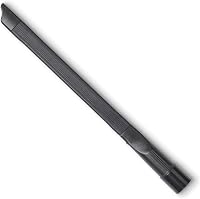
The 18 inch FUR-EEL crevice tool is a long flexible nozzle for car seats, sofa gaps, and skirting boards. It fits 1-1/4 inch, 1-3/8 inch, and 1-1/2 inch round hoses, while Dyson oval connections need a separate adapter that is not included.
It is a crevice tool, not a brush head.
For Dyson V15 fitting, the Fullclean kit is made for V15 and V15s models, along with V12, V11, V10, V9, V8, and V7 Detect models. It includes a hose, adapter, and brush, with a 31.5 inch hose without the adapter, a 9.65 inch crevice nozzle, and a 26.77 inch brush for dryer lint traps and gaps over 0.5 inch wide.
It is not for non Dyson vacuums or older DC models.
If you also use a Shark, the LANMU 9 pack is built for Shark Navigator Lift-Away models NV360, NV352, NV356E, and NV501, plus Rocket HV301 and HV322. It includes 2 adapters and 7 brush heads in 1-1/4 inch size, with horsehair brushes for sofas and stairs.
See our roundup of best shark navigator attachments tools for Shark users.
How do you store and charge the V15 Detect between cleans?
Dock the machine on its wall mount or stand it in a corner with the bin empty and the battery charged. Emptying the bin after each clean keeps the next clean ready.
Store with the cleaner head fitted or tools clicked into the wand, away from damp floors and direct heat. Do not store it with a full bin, as settled dust can harden and smell.
Charge after use if you clean daily, or charge to about half if storing for weeks and check every few months. Wipe the main body and laser lens with a dry cloth and check the bin and filter seals for hair.
Quick checklist for each clean
Charge, fit the right head, run the laser on hard floors, empty at the MAX line, and tap the filter. This short routine covers most of what matters for daily use.
Start with the correct head, use the laser head on hard floors and the torque drive head on carpet, and move in slow overlapping lines. Watch the particle count and the beam, empty the bin before it passes the MAX line, and tap the filter at the end of the week if you clean often.
Final tips for how to use Dyson V15 Detect well
Slow moves, the right head, and an empty bin give you the best result from the V15 Detect. The machine does the suction work, but your pace decides what it picks up.
Use the laser head for hard floors and the torque head for carpet, swap tools for edges, stairs, and fabric, and keep the filter clean, the bin empty, and the lens clear. For a wet-cleaning alternative, see how to use a Tineco vacuum mop.
You will see dust with the beam, hear the motor respond in Auto mode, and finish with a floor that looks clean and feels clean underfoot.
Frequently asked questions
How do you turn on a Dyson V15 Detect?
Press and hold the red trigger on the back of the main body to run the motor. Release the trigger to stop.
The V15 Detect has no on/off switch, so the trigger is the control.
Hold it down for the full clean.
Does the V15 Detect laser work on carpet?
The green laser shows dust best on hard floors. On carpet, pile hides the beam and the cleaner head should be on carpet mode.
Use the laser head for tiles, wood, and laminate, then switch heads for carpet.
How often should you empty a Dyson V15 Detect?
Empty the bin when debris reaches the MAX line on the shroud. Filling past that line can reduce suction and let dust escape when you open the bin.
Empty outdoors in a bag if you have allergies.
Which attachments fit a Dyson V15 Detect?
Dyson V15 Detect uses Dyson quick-release tools that click into the main body or wand. Third party tools need the right Dyson adapter shape.
Check the connection before you buy so the tool clicks in securely.