How To Clean A Vacuum Cleaner?
On this page (4 sections)
To clean a vacuum cleaner, first unplug it for safety. Then, empty the dust bin or replace the bag, clean or replace the filters according to your model’s instructions, and vacuum broken glass safely to restore suction and efficiency.
Regular maintenance, including wiping down surfaces and clearing hoses, ensures your vacuum runs effectively, extends its lifespan, and maintains a healthier home environment.
- TL;DR: Keep your vacuum running strong and your home cleaner by regularly maintaining its key parts.
- Start by unplugging your vacuum to ensure safety before any cleaning.
- Empty the dirt bin or change the bag to prevent odors and maintain airflow.
- Clean or replace filters as directed to keep air quality high and protect the motor.
- Untangle hair from the brush roll to ensure it spins freely and picks up debris efficiently.
- Clear any blockages in the hose or attachments to restore full suction power.
How To Clean A Vacuum Cleaner?
Cleaning your vacuum cleaner involves a few straightforward steps, ensuring each part works its best to pick up dirt, not just spread it around. You are essentially giving your cleaning partner a much-needed spa day.
Why Cleaning Your Vacuum Matters
Have you ever noticed your vacuum just isn’t picking up like it used to? A dirty vacuum often means poor performance, much like trying to run a race with weights on your ankles. Cleaning it regularly isn’t just about making it shiny; it is about keeping it working.
We found that a well-maintained vacuum offers better suction power, making your cleaning efforts far more effective (Consumer Reports data often points to this). Nobody wants to vacuum a spot only to find the crumbs still there, do they?
Beyond performance, regular cleaning helps extend the life of your machine. Dust and debris can strain the motor and other components, leading to costly repairs or an early replacement. When replacement is necessary, learn how to recycle an old vacuum. Think of it as preventative care for your handy helper.
And let’s not overlook the hygiene aspect. A dirty vacuum can harbor dust mites, allergens, and odors, pushing them back into your home’s air. Cleaning helps you breathe easier and keeps your home smelling fresh, which is a big win for everyone (Environmental Protection Agency guidelines discuss indoor air quality).
Essential Tools You’ll Need
Before you dive in, gather a few basic items. You won’t need anything fancy, just some everyday heroes to help you tackle the grime. Having these ready will make the cleaning process a breeze, saving you from mid-clean scrambles.
- Scissors or a seam ripper (for cutting hair).
- Microfiber cloths (for wiping surfaces).
- Mild soap and water (for washable parts).
- A small brush or old toothbrush (for stubborn grime).
- A coin or screwdriver (to open brush roll covers).
- A trash can (for emptying dirt).
- Gloves (optional, but recommended for hygiene).
Step-by-Step Guide: How to Clean Different Parts
Ready to get started? We will walk through each component, ensuring your vacuum emerges sparkling and ready for its next cleaning mission. It is like giving your car a tune-up, but for your floors.
Safety First: Unplugging Your Vacuum
This step is non-negotiable. Before you touch anything inside your vacuum, always unplug it from the wall. This prevents accidental starts and protects you from any electrical mishaps. It is the golden rule of vacuum cleaning and repair.
Emptying and Cleaning the Dust Bin/Bag
Your vacuum’s heart holds all the dirt. Whether you have a bagless bin or a traditional bag, this is where most of the collected grime lives. A full bin or bag drastically reduces suction, so keep it clear.
For bagless models, detach the dust bin, empty it into a trash can, and give it a good rinse with water if it’s really dirty. Make sure it is completely dry before reattaching it; moisture and motors are not friends (manufacturer instructions often emphasize this).
If you use a bagged vacuum, simply remove the full bag and replace it with a fresh one. It is a quick swap that can make a dramatic difference in performance and prevent unpleasant odors.
Cleaning the Filter: A Breath of Fresh Air
Filters are like your vacuum’s lungs. They trap dust and allergens, preventing them from recirculating into your home. A clogged filter is a prime suspect for weak suction and can even cause your vacuum to overheat.
Check your vacuum’s manual to identify your filter type. Some are washable, others need replacing. If it is a washable filter, rinse it under cool water until the water runs clear. Allow it to air dry for at least 24 hours before putting it back. Never put a damp filter back in!
Non-washable filters, including many HEPA types, can often be tapped gently over a trash can to dislodge debris. We found that replacing these filters every 3-6 months, depending on usage, significantly improves air quality and vacuum efficiency (many vacuum manufacturers recommend this).
| Filter Type | Cleaning Method | Replacement Frequency |
|---|---|---|
| Foam Filter | Rinse with water, air dry completely. | Every 3-6 months. |
| Felt Filter | Tap to remove dust, hand wash if specified. | Every 3-6 months. |
| HEPA Filter | Tap to remove dust; some are washable (check manual). | Every 6-12 months. |
Detangling the Brush Roll
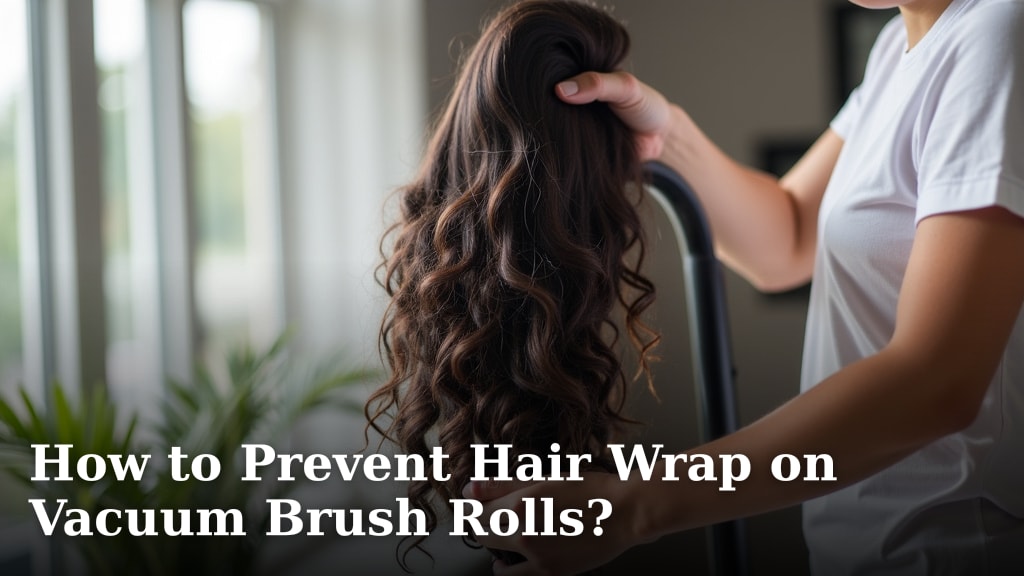
The brush roll is the workhorse of your vacuum, vigorously agitating carpets to lift dirt. It is also a magnet for hair, threads, and pet fur. When tangled, it cannot spin freely, leading to poor pickup and potentially straining the motor.
Carefully remove the brush roll (consult your manual for how). For help accessing the inside, see how to open a vacuum cleaner. Use scissors or a seam ripper to cut away any tangled hair or fibers. Be gentle to avoid damaging the bristles. Many experts say a clean brush roll is key for deep cleaning carpets.
While you are there, check the belt that drives the brush roll. If it looks stretched, cracked, or loose, it might be time for a replacement. A strong belt ensures your brush roll spins at its optimal speed.
Clearing Hoses and Attachments
Hoses and attachments are often the silent culprits behind lost suction. They can easily become clogged with larger debris or matted pet hair. A simple check can restore full power.
Disconnect the hose and visually inspect it for any blockages. You might need to gently snake a broom handle or a long, flexible tool through it to dislodge anything stuck. Do not force anything; you do not want to puncture the hose.
Wash any detachable attachments, like crevice tools or upholstery brushes, in warm, soapy water. Rinse them thoroughly and let them air dry completely before reattaching. This keeps them clean and ready for specialized tasks.
Wiping Down the Exterior
Finally, give the outside of your vacuum some love. Use a damp cloth to wipe down the body, handle, and wheels. This removes surface dust and grime, making your vacuum look as good as it performs.
Paying attention to the wheels is often overlooked. Hair and debris can wrap around them, making your vacuum harder to maneuver. A quick clean can help it glide smoothly across your floors again.
Signs Your Vacuum Needs Cleaning
Your vacuum often gives you hints when it needs attention. Listen to these cues; they are like your vacuum’s subtle cries for help. Ignoring them can lead to bigger problems down the line.
The most obvious sign is reduced suction power. If it is struggling to pick up even small crumbs, a clog or dirty filter is likely the problem. Another common sign is a persistent, unpleasant odor, signaling a buildup of bacteria or trapped debris in the bin or brush roll.
Visible dirt on the brush roll or a visibly dusty filter also screams for cleaning. If your vacuum feels unusually warm, it could be struggling due to a blockage or overworked motor. Address these signs promptly to keep your vacuum happy.
How Often Should You Clean Your Vacuum?
The frequency of cleaning largely depends on how often you use your vacuum and what you are vacuuming. A good rule of thumb is to empty the dust bin after every use and check the brush roll monthly.
Filters often need cleaning or replacing every 3-6 months, especially if you have pets or allergies (many vacuum experts agree on this general timeframe). A deeper, comprehensive clean should happen at least twice a year, or more if your home sees heavy traffic.
Common Cleaning Mistakes to Avoid
While cleaning your vacuum is straightforward, some common pitfalls can do more harm than good. A little awareness goes a long way in protecting your machine and ensuring its longevity.
One major mistake is putting a damp filter back into the vacuum. This can cause mildew, damage the motor, or create an electrical hazard. Always ensure parts are bone dry before reassembly.
Ignoring the brush roll is another frequent error. Letting hair accumulate can cause the brush to stop spinning, or even melt the plastic components if the motor strains too hard. Also, never forget to unplug the vacuum before starting any maintenance; safety is always first.
A Quick Cleaning Checklist
- Unplug the vacuum.
- Empty dust bin/change bag.
- Clean/replace filters.
- Remove brush roll and detangle.
- Inspect and clear hose for clogs.
- Wipe down exterior surfaces.
- Allow all parts to dry completely before reassembling.
Conclusion
Cleaning your vacuum cleaner might feel like an extra chore, but it is truly an investment in its performance and lifespan. By taking a little time to care for your machine, you ensure it continues to clean your home effectively, maintain good air quality, and save you money in the long run. Regular cleaning is not just about maintenance; it is about respecting your tools and making your home a cleaner, healthier place to live. So, go ahead, give your vacuum the attention it deserves!
How do I know if my vacuum filter needs cleaning or replacement?
You can tell if your vacuum filter needs attention if you notice reduced suction power, a noticeable odor coming from the vacuum, or if the filter itself looks visibly clogged with dust and debris. Check your vacuum’s manual for specific instructions on your filter type, as some are washable while others require replacement at regular intervals.
Can I use household cleaning sprays on my vacuum cleaner?
It is generally best to avoid using household cleaning sprays directly on your vacuum’s internal components, especially electronic parts. For exterior surfaces, a damp cloth with mild soap and water is usually sufficient. Chemical sprays can sometimes damage plastic components or leave residues that attract more dust, or even interfere with the electrical parts.
My vacuum smells bad even after emptying the bin. What could be the cause?
If your vacuum still smells bad after emptying the bin, the odor is likely trapped in other areas. The filter is a common culprit; it can harbor bacteria and mold. The brush roll, hose, or even the inside of the bin itself might also have dried, smelly debris or pet dander. A thorough deep clean of all components, especially washable ones, is often needed.
How often should I check the brush roll for tangles?
It is a good practice to check your vacuum’s brush roll at least once a month, or more frequently if you have pets with long hair or a household with several people. Hair and threads can accumulate quickly, reducing cleaning efficiency and potentially damaging the motor if left unchecked.
What if my vacuum’s suction is still weak after a full clean?
If your vacuum’s suction remains weak even after a comprehensive cleaning of the dust bin, filters, brush roll, and hose, it could indicate a more serious issue. This might include a problem with the motor, a worn-out belt (if applicable), or an unseen crack in a component that’s causing a loss of air pressure. At this point, consulting a repair professional might be your best next step.