Can You Leave a Robot Vacuum Charging Overnight?
On this page (5 sections)
Yes, you can leave a robot vacuum charging overnight. We found that most modern robot vacuums have smart charging features. These protect the battery from overcharging damage. So, your robot vacuum is generally safe.
Many people wonder about battery health. We found that leaving it on the charger is usually fine for daily use. It helps ensure your vacuum is always ready to clean. There are some nuances, though, depending on the battery type and your vacuum’s age.
- Most robot vacuums manage charging automatically.
- Leaving them on the dock is generally safe for batteries.
- Older models might have fewer protective features.
- Unplugging for long storage periods can save energy.
- Always check your specific model’s manual for best practices.
Let’s dive into the details. We’ll explore exactly how robot vacuum charging works. This will help you keep your floors clean and your vacuum happy.
Understanding Robot Vacuum Charging Behavior
You can generally leave your robot vacuum on its charging dock overnight without worry. Most modern models are designed to manage their own battery health.
Think of your robot vacuum like your smartphone. You probably leave your phone plugged in overnight, right? Modern devices have evolved. They have sophisticated systems to protect their batteries.
We found that manufacturers have invested heavily in smart charging technology. This ensures your vacuum’s battery isn’t harmed by continuous charging. It’s all about safety and longevity.
How Smart Charging Protects Your Battery
So, how does this smart charging actually work? It’s pretty clever. When your robot vacuum reaches a full charge, it doesn’t just keep pumping electricity in.
Instead, the charging system switches to a “trickle charge” or “maintenance mode.” This means it only provides a tiny amount of power. It’s just enough to keep the battery topped off. This prevents overcharging.
Some vacuums might even stop charging entirely. They’ll only resume once the battery level drops slightly. This minimizes stress on the battery. It’s a very common practice in electronics today.
The Role of Battery Management Systems (BMS)
Every modern robot vacuum has a Battery Management System. We found that this is the brain behind the charging process. It constantly monitors things like temperature and voltage.
A good BMS prevents a range of battery issues. It stops overcharging, over-discharging, and overheating. These are common problems that can damage batteries. The BMS keeps everything safe and sound.
This system makes sure your battery stays in its optimal operating range. It’s like having a dedicated battery bodyguard. You really don’t have to think about it.
Battery Types and Their Charging Habits
The type of battery in your robot vacuum matters. Most newer models use Lithium-ion (Li-ion) batteries. Older models might have Nickel-Metal Hydride (NiMH) batteries.
Li-ion batteries are much more forgiving. They don’t suffer from the “memory effect.” This was a common issue with older battery types. We found that Li-ion batteries handle continuous charging very well.
NiMH batteries, while less common now, are a bit different. They could sometimes develop a “memory.” This meant they’d “forget” their full capacity if not fully discharged. But even for these, overnight charging is usually fine if the vacuum has basic charging protection.
Lithium-ion: The Modern Standard
Most robot vacuums today use Li-ion batteries. This is good news for you. We found these batteries are designed for convenience. They offer high energy density and a longer lifespan.
Manufacturers calibrate Li-ion batteries to handle regular charging cycles. This includes being left on the dock. You don’t need to perform full discharge-recharge cycles. That’s a myth from older battery tech.
You can charge them whenever you want. Charging them often can even be beneficial. It keeps the battery “exercised” and ready for action. Think of it as light exercise for your vacuum’s power source.
Benefits of Keeping Your Robot Vacuum Charged
There are real advantages to leaving your robot vacuum on its charger overnight. The most obvious one? It’s always ready to go. No more waiting for it to charge when you want to clean.
Imagine spontaneously deciding to clean the house. Your robot vacuum is fully charged and waiting. This ready-to-clean status is a major convenience. It’s a key part of the robot vacuum experience.
We found that consistent charging helps maintain battery health over time. It keeps the battery cells active and balanced. This can lead to a longer overall lifespan for your battery.
Always Ready to Clean
The main reason to leave your robot vacuum on its charging dock is simple: availability. You want your robot to clean on demand, don’t you?
If you take it off the charger, its battery will slowly discharge. This is natural for any battery. You’d then need to wait for it to charge again before use. This defeats the purpose of an autonomous cleaner.
A fully charged robot can handle unexpected messes. It can also complete its scheduled cleaning tasks without interruption. It’s always primed for duty.
Maintaining Battery Health Over Time
While counter-intuitive to some, keeping your Li-ion battery consistently charged helps it. It avoids deep discharges. We found that deep discharges can stress Li-ion batteries more than shallow charges.
Most robot vacuums will return to their dock automatically when low on battery. This prevents them from fully draining. It’s another layer of protection built into the system. This also contributes to better battery health.
Regular, short top-ups are good. It’s like taking sips of water instead of waiting until you’re parched. It keeps the battery hydrated and happy.
Potential Downsides and When to Be Cautious
While generally safe, there are a few situations where you might want to be cautious. These are usually related to very old models or long periods of non-use. It’s good to be aware.
No system is foolproof. Understanding the edge cases helps you make informed decisions. We want your robot vacuum to last as long as possible. So, let’s look at the rare exceptions.
Older Robot Vacuum Models
If you have an older robot vacuum, say one that’s five years old or more, it might be different. These might not have the same advanced battery management systems.
We found that very old models, especially those with NiMH batteries, could be more susceptible to issues. Overcharging could potentially degrade the battery faster. Check your manual if you have an antique.
However, even many older models still had basic overcharge protection. The risk is lower than you might think. But if you notice your vacuum getting unusually warm, that’s a sign to investigate.
Long Periods of Storage
This is where things change. If you plan to store your robot vacuum for an extended period, like months, don’t leave it on the charger. This is one of the few exceptions.
Manufacturers generally recommend charging the battery to about 50-60% before long-term storage. Then, store it in a cool, dry place. This helps preserve battery health during dormancy.
Why 50-60%? A completely full or empty battery can degrade faster when stored for long times. It’s about finding that sweet spot for chemical stability. It’s a bit like putting your car in long-term parking.
Energy Consumption Concerns
Leaving any device plugged in always draws a tiny bit of power. This is called “vampire drain” or “phantom load.” Your robot vacuum is no exception.
While the amount is usually minimal, it does contribute to your electricity bill over time. For environmental reasons, some people prefer to unplug devices when not in use.
Consider the trade-off. The convenience of an always-ready vacuum versus a tiny bit of extra electricity usage. Most people find the convenience outweighs the minimal energy cost. But it’s your choice.
Measuring Phantom Load
A typical robot vacuum on a charging dock might draw 1-5 watts in maintenance mode. Over a year, this could add up to a few dollars on your electricity bill. It’s not much, but it’s there.
If you’re very conscious about energy use, you could use a smart plug. You can program it to only power the dock when needed. This would cut off the power during idle times.
However, this adds another layer of complexity. For most users, the default behavior of leaving it plugged in is the easiest. It’s a balance between convenience and energy savings.
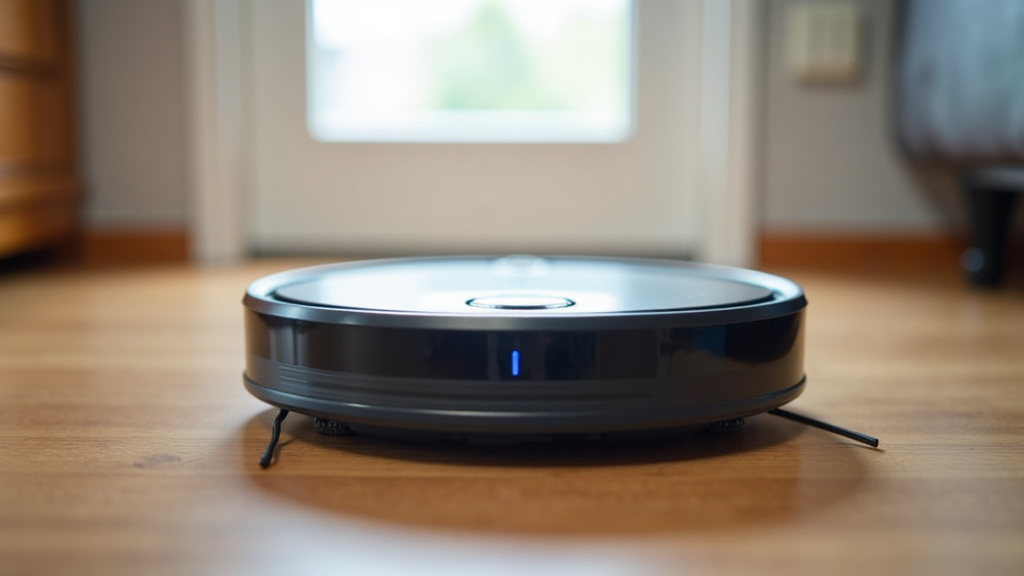
Essential Charging Practices for Your Robot Vacuum
Following a few simple guidelines can help you get the most out of your robot vacuum’s battery. These are easy to adopt and will serve you well.
We’ve condensed our findings into practical advice. It’s all about maintaining that precious battery. A healthy battery means a happy, hard-working robot vacuum.
Always Refer to Your User Manual
This is the golden rule. Your robot vacuum’s manufacturer knows best. They designed it. They built it. Their manual contains specific instructions for your model.
We found that manuals often provide clear guidance on charging. They might have special recommendations for storage or troubleshooting. Always check this first if you have questions.
Consider the manual your vacuum’s personal instruction book. It’s tailored just for your device. Don’t skip reading it, especially the sections on battery care.
Regular Cleaning and Maintenance
A clean robot vacuum is a happy robot vacuum. We found that dust and debris can hinder performance. This includes charging performance.
Clean the charging contacts on both the dock and the robot regularly. A dirty contact can prevent a proper connection. This could lead to incomplete charging.
Use a dry cloth or cotton swab to gently wipe these contacts. It’s a small task that makes a big difference. It’s like wiping down your phone’s charging port sometimes.
When to Consider Battery Replacement
Even with perfect care, batteries don’t last forever. Li-ion batteries have a finite number of charge cycles. After several years, you’ll likely notice reduced runtime.
If your robot vacuum isn’t completing its usual cleaning tasks, the battery might be degrading. Most robot vacuum batteries can be replaced. This extends the life of your device significantly.
Check with your manufacturer for replacement battery options. We found that many brands offer official replacement kits. This is more eco-friendly than buying a whole new vacuum.
Quick Charging Checklist for Your Robot Vacuum
Here’s a quick list to help you keep your robot vacuum charged and ready:
- Leave it on the charging dock: This is generally safe and convenient for daily use.
- Check your manual: Always follow manufacturer-specific charging guidelines.
- Clean charging contacts: Ensure a good connection for efficient charging.
- Store correctly for long periods: Charge to 50-60% if storing for months.
- Monitor performance: If runtime drops, consider a battery replacement.
- Avoid extreme temperatures: Don’t charge in very hot or very cold environments.
Comparing Charging Habits: Old vs. New Tech
Let’s put it all together in a simple comparison. This will clarify the differences between old and new robot vacuum charging. You’ll see how far we’ve come.
| Feature | Older Robot Vacuums (e.g., NiMH batteries) | Modern Robot Vacuums (e.g., Li-ion batteries) |
|---|---|---|
| Overnight Charging Safety | Generally okay, but some risk of slight battery degradation over time due to less sophisticated protection. | Very safe due to advanced Battery Management Systems (BMS) and trickle charging. |
| Battery Memory Effect | Could suffer from “memory effect” if not fully discharged occasionally. | No memory effect; can be charged anytime, anywhere. |
| Recommended Storage Charge | Often recommended to fully discharge then recharge before storing. | Charge to 50-60% for long-term storage; avoid full or empty. |
| “Always Ready” Convenience | Less reliable if not managed well; might need occasional full cycles. | High convenience; always ready to clean due to continuous top-ups. |
| Heat During Charging | Might generate more heat, especially if lacking advanced controls. | Minimal heat due to efficient charging and temperature monitoring. |
Conclusion
So, you can generally leave your robot vacuum on its charging dock overnight without a second thought. Modern vacuums come equipped with smart charging technology that protects their batteries. This ensures your device is always ready for action, saving you time and hassle.
Remember to check your user manual for specific advice, especially if you have an older model. For long storage periods, charge it to 50-60%. Otherwise, enjoy the convenience of a fully charged robot always at your service. Now, go enjoy those clean floors!
Frequently Asked Questions
Is it okay if my robot vacuum is always on its charging dock?
Yes, it’s perfectly fine. Most robot vacuums are designed to live on their charging docks. Their built-in Battery Management Systems (BMS) prevent overcharging, keeping the battery healthy and ready for your next cleaning session.
How long do robot vacuum batteries typically last?
A typical robot vacuum battery, especially a Lithium-ion one, usually lasts between 2 to 5 years. This lifespan can vary based on usage frequency and how well you maintain the device. You’ll know it’s time for a replacement when cleaning times drastically shorten.
Should I unplug my robot vacuum’s charging dock when not in use?
You don’t need to unplug it for daily use. While there’s a tiny “phantom load” of electricity used, it’s usually negligible. Unplugging is mainly recommended for extended storage (months) or if you’re very concerned about minimal energy consumption.
Can leaving my robot vacuum on the charger cause a fire?
Modern robot vacuums have multiple safety features to prevent hazards. They are designed to stop charging once full or switch to a safe maintenance mode. The risk of fire from a properly functioning, undamaged robot vacuum left on charge is extremely low.
Does extreme temperature affect my robot vacuum’s battery life?
Yes, extreme temperatures can impact battery health. Avoid charging or storing your robot vacuum in very hot or very cold environments. Ideal conditions are typically room temperature, which helps prolong the battery’s overall lifespan.