Why Is My Handheld Vacuum Not Picking Up Debris?
On this page (7 sections)
If your handheld vacuum is suddenly playing hide-and-seek with debris, it’s likely due to a clogged filter, a full dustbin, or a blocked hose. These common issues prevent your trusty little cleaner from effectively suctioning up dirt and dust. We found that addressing these simple problems often restores its picking power.
It can be frustrating when your handheld vacuum stops working as expected. You rely on it for quick cleanups, and when it falters, it throws a wrench in your routine. We’ve researched the most frequent causes, and they often boil down to a few easy-to-fix culprits affecting its suction power and overall performance.
- Clogged filters are the #1 cause.
- A full dustbin stops suction.
- Obstructions in the hose block airflow.
- Battery issues can cause weak suction.
- Brush roll problems hinder debris pickup.
Let’s dive into why your handheld vacuum might be struggling and how you can get it back to its crumb-gobbling best.
Troubleshooting Your Handheld Vacuum’s Suction Issues
It’s a common headache. You grab your trusty handheld vacuum for a quick spill, but it seems to be slacking on the job. Instead of powerfully sucking up crumbs and dust, it’s leaving a trail of mess. We understand how frustrating this can be when you need a fast clean. Let’s pinpoint why your handheld vacuum might not be picking up debris like it used to.
Understanding the Common Culprits Behind Weak Suction
Most handheld vacuum problems stem from a few recurring issues that are usually easy to fix. Think of your vacuum like a tiny, powerful lung. If anything obstructs its “breathing,” its ability to “inhale” debris will suffer. We’ve found that checking the basics often solves the mystery.
The Filter: The Primary Suspect in Poor Performance
The absolute number one reason your handheld vacuum is losing suction is a dirty or clogged filter. Filters are essential for trapping dust and debris. When they get clogged, air can’t pass through effectively. This dramatically reduces the vacuum’s ability to create suction.
Why Clogged Filters Kill Suction
Imagine trying to breathe through a thick blanket. It’s difficult, right? That’s what a clogged filter does to your vacuum. The motor has to work harder, and the airflow is severely restricted. Many experts recommend cleaning or replacing your filter regularly to maintain optimal performance (Consumer Reports).
How to Clean Your Filter
Most handheld vacuums have washable filters. You’ll typically find them near the dustbin. Gently tap out any loose debris over a trash can first. Then, you can rinse the filter under cool, running water. Let it air dry completely before putting it back. This usually takes at least 24 hours. Never use a vacuum with a wet filter.
When to Replace Your Filter
Even washable filters wear out over time. If yours looks torn, misshapen, or just won’t come clean, it’s time for a replacement. Check your vacuum’s manual for specific recommendations. Many manufacturers suggest replacing filters every 6 to 12 months, depending on usage. A fresh filter is like giving your vacuum a new lease on life.
The Dustbin: Is It Simply Too Full?
This might sound obvious, but a full dustbin is another major cause of reduced suction. When the bin is packed tight with dirt and dust, there’s no room for new debris to enter, and airflow is blocked. It’s like a traffic jam for your dirt!
The Impact of an Overstuffed Bin
Even if there’s some space, a nearly full bin can disrupt the airflow pattern. The vacuum’s motor might even start to overheat because it’s struggling to pull air through the packed contents. We found that emptying the dustbin after every few uses makes a huge difference.
Emptying the Dustbin Properly
Most handheld vacuums have an easy-release mechanism for emptying the dustbin. Simply hold it over a trash can and press the button. For a deeper clean, you might be able to detach the dustbin entirely and wash it. Again, ensure it’s completely dry before reattaching.
Obstructions: Checking the Airway
Just like a clogged filter or bin, an obstruction in the hose or nozzle can completely stop your vacuum from picking up anything. Think of larger debris like small pebbles, stray socks, or even a forgotten toy getting lodged somewhere in the system.
Where to Look for Blockages
Start with the most accessible parts: the nozzle opening and the hose. If your model has a removable hose, detach it and look through it. You might need a flashlight to spot smaller blockages. For tougher clogs, you can try gently using a long, thin object like a broom handle (carefully!) to dislodge the item.
Preventing Future Blockages
Be mindful of what you’re vacuuming. Larger debris should ideally be picked up by hand first. If you’re cleaning up after pets, check the nozzle for tangled hair frequently. Regular visual checks can save you a lot of hassle down the line.
Battery Issues Can Also Affect Performance
Is your vacuum acting weak and tired? It might not be a clog, but a dying battery. Many handheld vacuums use rechargeable batteries. As these batteries age, they may not hold a charge as long or provide the full power needed for strong suction.
Signs of a Failing Battery
You might notice the vacuum running for a shorter period than usual, or the suction power significantly drops even when fully charged. Some models have indicator lights that show battery status, which can provide clues. If your vacuum is several years old, battery degradation is a likely culprit.
What to Do About Battery Problems
Check your vacuum’s manual for battery replacement options. Some models have user-replaceable batteries, while others require professional service. If your vacuum is still under warranty, contact the manufacturer. If not, you might need to weigh the cost of a new battery against purchasing a new vacuum.
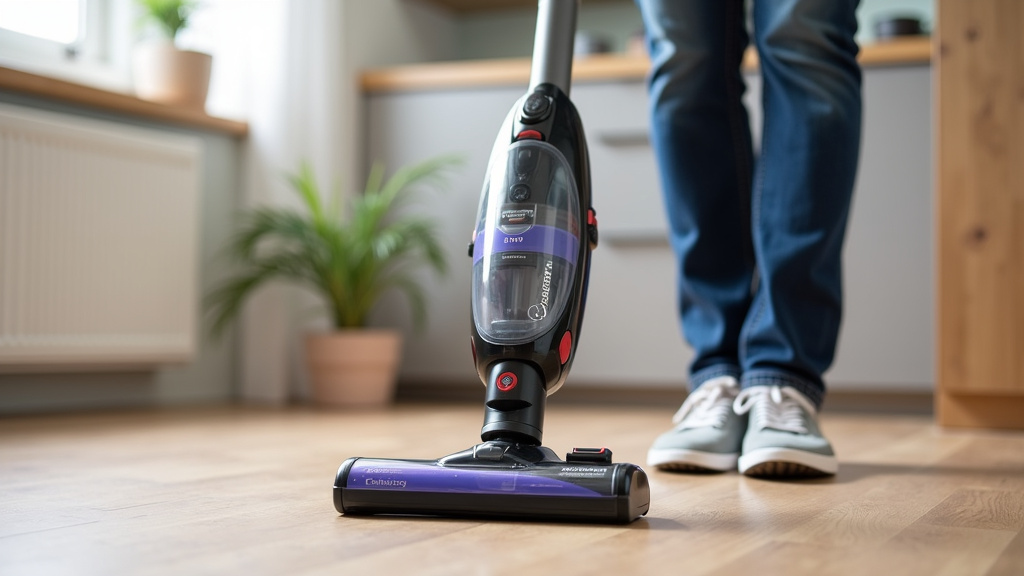
Brush Roll Woes: When the Brush Isn’t Turning
For vacuums with a brush roll, this component is vital for agitating carpet fibers and sweeping debris into the suction path. If your brush roll isn’t spinning, your vacuum won’t pick up embedded dirt effectively.
Common Brush Roll Issues
The most frequent problem is hair and string getting tangled around the brush. This can prevent it from turning freely. Other issues include a broken belt (if your model has one) or a problem with the motor driving the brush roll.
Cleaning and Maintaining Your Brush Roll
Turn off and unplug your vacuum. Use scissors or a seam ripper to carefully cut away tangled hair and fibers. Most vacuums have a way to release the brush roll for easier cleaning. If the brush roll is damaged or the belt is broken, you may need to consult your manual or contact customer support for repair or replacement parts.
A Quick Checklist to Restore Your Vacuum’s Power
Feeling overwhelmed? Don’t be! Let’s simplify things with a quick checklist. Running through these steps should help you diagnose and fix most common handheld vacuum issues.
- Empty the dustbin.
- Clean or replace the filter.
- Check the nozzle and hose for obstructions.
- Ensure the battery is fully charged and healthy.
- Inspect the brush roll for tangles or damage.
- Test the vacuum after each step.
Conclusion
Your handheld vacuum’s struggle to pick up debris is usually a fixable problem. We’ve covered the most common culprits: a clogged filter, a full dustbin, obstructions in the airway, or even battery and brush roll issues. By regularly checking and maintaining these parts, you can ensure your vacuum performs at its best. Don’t let a little dirt get you down; a quick check of our troubleshooting guide will have your vacuum sucking up messes again in no time. Make a habit of these simple checks to keep your cleaning tool reliable.
Frequently Asked Questions
How often should I clean my handheld vacuum’s filter?
We recommend cleaning your filter at least once a month, or more often if you use your vacuum frequently. A dirty filter is the most common reason for lost suction. Ensure it’s completely dry before reinserting it.
Can a full dustbin really stop my vacuum from picking up dirt?
Yes, absolutely. When the dustbin is full, there’s no room for new debris to enter, and airflow is severely restricted. Emptying it after every few uses is an easy way to maintain strong suction.
My vacuum still isn’t picking up, even with a clean filter and empty bin. What else could it be?
You should check the nozzle and hose for any blockages. Larger debris like small socks or forgotten toys can get lodged and stop suction entirely. Use a flashlight to inspect for any obstructions.
How do I know if my vacuum’s battery is the problem?
If your vacuum runs for a much shorter time than it used to, or if the suction power drops significantly even when fully charged, it might be a battery issue. Older batteries naturally lose their ability to hold a full charge.
My vacuum has a brush roll, but it’s not spinning. What’s wrong?
Tangled hair, string, or carpet fibers are the most common culprits for a brush roll that won’t spin. Turn off your vacuum and carefully cut away any debris. If it’s still not spinning, there might be a motor issue or a broken belt.