Why Is My Cordless Vacuum Losing Power Quickly?
On this page (7 sections)
Your cordless vacuum losing power quickly usually means its dustbin is full or the filters are clogged. These are the most common culprits behind vacuum suction loss. When these parts get too packed, air can’t flow properly, drastically reducing suction power. It’s a common frustration, but thankfully, a fixable one. Our guide on how to fix a vacuum’s suction offers more detailed troubleshooting steps.
We’ve all been there, right? You grab your cordless vacuum for a quick clean, only to find it barely picking up dust bunnies. This sudden drop in performance can be baffling. Often, it’s not a sign of a dying battery, but rather a need for some simple maintenance. Keeping your vacuum’s airflow clear is key to maintaining its best performance and making sure it lasts.
- Empty the dustbin regularly.
- Clean or replace clogged filters.
- Check for blockages in the hose and attachments.
- Ensure the brush roll is spinning freely.
Let’s get your vacuum back to its full suctioning glory. We’ll walk through the most likely reasons your cordless vac is losing power and how to fix them.
Troubleshooting Your Cordless Vacuum’s Declining Power
It can be really frustrating when your cordless vacuum, which used to zip around with impressive force, suddenly seems to be losing its punch. You expect it to tackle messes, but instead, it leaves dust bunnies behind. This drop in performance often leaves you wondering if the battery is on its last leg, or worse, if your vacuum is on its way out.
The good news is that for most cordless vacuums, a loss of power isn’t a death sentence. It’s usually a sign that something simple needs attention. Think of your vacuum like your body; it needs good airflow to function its best. When that airflow is blocked, its power output suffers, regardless of how charged the battery is.
Understanding Airflow and Suction Power
Your cordless vacuum relies on a constant flow of air to move dirt from your floors into the dustbin. A powerful motor creates suction, pulling air through the vacuum head, up the hose, and into the collection bin. This airflow is critical. It’s the engine that drives the cleaning process.
When this pathway gets obstructed, the motor struggles. It’s like trying to breathe through a stuffy nose; it’s much harder work. Even with a fully charged battery, a restricted airflow means less air can be moved. This directly translates to reduced suction power. You might notice it can’t pick up larger debris, or it simply feels weaker on carpets.
The Role of the Dustbin
The most common reason for this airflow issue is a full dustbin. When the bin reaches its capacity, the small pathways for air to escape become clogged with dust and debris. This is especially true for bagless vacuums.
Think of it like a sieve. When it’s empty, water flows through easily. When it’s full of crumbs, water backs up. Your vacuum’s dustbin works similarly. The dirt acts as a barrier, preventing air from moving freely. We found that many users neglect this step, leading to a noticeable decrease in performance.
The Importance of Filter Maintenance
Filters are another major player in maintaining your vacuum’s suction. They are designed to trap fine dust particles and allergens, preventing them from being released back into your air. These filters can become clogged with fine dust, hair, and other small debris.
When filters get packed with dirt, they act like a wall. Air simply can’t pass through them efficiently. This choke point is a primary cause of power loss. Many manufacturers recommend cleaning or replacing filters regularly. We found this step alone can often restore a vacuum’s full suction power.
Types of Filters and Their Care
Your vacuum might have one or several filters. Common types include HEPA filters, foam filters, and felt filters. Each type has its own cleaning requirements.
HEPA filters are often washable, but you must ensure they are completely dry before reinserting them. Foam filters are usually washable too. Felt filters might be cleanable by tapping them out, but some may need replacement. Always check your vacuum’s manual for specific instructions. Water damage to a non-washable filter can ruin it permanently.
Checking for Blockages in the Hose and Attachments
Beyond the dustbin and filters, don’t forget about the pathway the air takes. The hose, wands, and any attachments can also become blocked. Hair, larger debris, or even small toys can get lodged inside.
A blockage in these areas creates a severe restriction in airflow. This forces the motor to work harder, but less air actually gets through. Imagine trying to suck a thick milkshake through a tiny straw; it’s a struggle. We recommend using a broom handle or a similar long, blunt object to gently push out any obstructions you find. If you suspect a blockage, learn how to unclog a vacuum hose with these simple steps.
Common Culprits for Blockages
What tends to cause these blockages? Large pieces of food, pet hair that clumps together, stray socks, or even small toys children might leave lying around are frequent offenders. These items can get caught in the narrower parts of the hose or wand.
When you notice a sudden loss of suction, try detaching the wand and hose. Hold them up to a light source or use a flashlight to peer inside. You might be surprised by what you find. Removing these obstructions is often a quick fix.
The Brush Roll: A Hidden Power Drainer
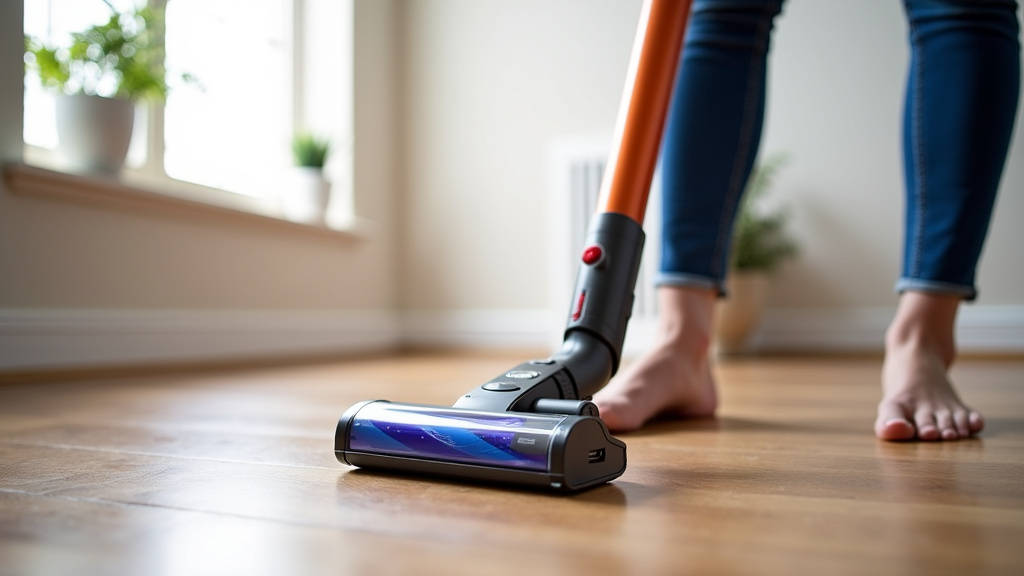
The brush roll is responsible for agitating carpets and lifting dirt from the floor. If it’s not spinning properly, it can significantly impact your vacuum’s cleaning ability, making it seem like it’s losing power.
When hair, string, or threads wrap around the brush roll, they can impede its rotation. In some cases, the motor dedicated to the brush roll might even cut power to protect itself. This can lead to a noticeable drop in overall suction and cleaning performance.
Ensuring the Brush Roll Spins Freely
You should regularly check the brush roll for any tangled debris. Most cordless vacuums allow you to easily access the brush roll for cleaning. You’ll typically find a way to detach the floorhead or a cover plate.
Use scissors or a seam ripper to carefully cut away any wrapped hair or fibers. Make sure to remove all the debris. Then, manually try to spin the brush roll with your hand. It should move smoothly and freely. If it feels stiff or doesn’t spin at all, there might be a more serious issue, but often, clearing the debris is all it needs.
Battery Health and Charging Habits
While clogged filters and full bins are the most common reasons for power loss, the battery itself can degrade over time. Like all rechargeable batteries, the ones in your cordless vacuum have a limited lifespan.
If your vacuum is several years old, or if you notice the runtime decreasing significantly even after proper maintenance, battery wear might be the culprit. However, many people mistakenly blame the battery when the real issue is a simple airflow problem.
Proper Charging Practices
How you charge your vacuum can affect its battery health. Leaving it plugged in constantly after it’s fully charged might not be ideal for all battery types. Some manufacturers suggest letting the battery discharge partially before recharging.
Conversely, letting the battery completely drain too often can also stress it. Many experts recommend keeping the battery topped up when not in use, unless your manual specifically advises against it. Always follow the manufacturer’s guidelines. We found that consistent, moderate charging tends to prolong battery life.
When the Battery Might Be Failing
How can you tell if it’s truly the battery? If you’ve cleaned the dustbin, washed the filters, checked for blockages, and ensured the brush roll is clear, yet the power is still weak and the runtime is noticeably shorter than it used to be, the battery could be at fault.
Some vacuums have indicator lights that signal battery health or charge level. Consult your manual to understand these signals. If your vacuum’s runtime has drastically reduced over a short period, and it’s no longer holding a strong charge, it might be time to consider a replacement battery. We found that batteries typically have a lifespan of 2-4 years depending on usage and care.
Simple Maintenance Checklist for Sustained Power
Keeping your cordless vacuum running at its peak performance is mostly about routine care. By performing these simple checks regularly, you can avoid the frustration of a weak vacuum.
- Empty the dustbin after every use, or when it reaches about two-thirds full.
- Clean or replace filters as per your manufacturer’s instructions, usually monthly or bi-monthly.
- Check the hose and wand for any visible blockages and clear them promptly.
- Inspect the brush roll for tangled hair or debris and clean it as needed.
- Ensure the battery is charging correctly and not being over or under-charged habitually.
- Store your vacuum properly in a dry place, away from extreme temperatures.
Conclusion
It’s easy to feel discouraged when your cordless vacuum loses its zip. But as you’ve learned, power loss rarely means your vacuum is beyond repair. Most often, it’s a cry for simple maintenance. Regularly emptying the dustbin, cleaning your filters, checking for blockages, and ensuring your brush roll spins freely are your best defenses. By staying on top of these basic steps, you’ll dramatically improve your vacuum’s suction and extend its lifespan. So, before you blame the battery, give these maintenance tasks a try – your floors (and your patience) will thank you!
Frequently Asked Questions
How often should I empty my cordless vacuum’s dustbin?
We found that emptying your dustbin after every use, or at least when it’s about two-thirds full, is ideal. A full bin severely restricts airflow, which is the main cause of lost suction. Don’t wait until it’s overflowing to empty it.
Can I wash all cordless vacuum filters?
Not all filters are washable. Always check your vacuum’s manual for specific instructions regarding your filter type. Some, like HEPA filters, can be washed but must be completely dry before reinsertion. Others may only be cleanable by tapping them out or require replacement.
My vacuum still seems weak after cleaning the filters and bin. What else could it be?
If you’ve addressed the dustbin and filters, your next step is to check for blockages. Detach the hose and wand, and look for any lodged debris. Also, inspect the brush roll to ensure it’s spinning freely and isn’t tangled with hair or string. These are common culprits for persistent power loss.
How do I know if the battery is the actual problem?
If you’ve performed all maintenance tasks—emptied the bin, cleaned filters, checked for blockages, and cleared the brush roll—and your vacuum’s runtime is significantly shorter than it used to be, the battery might be failing. Many vacuums have indicator lights that can signal battery health.
Is it okay to leave my cordless vacuum on the charger all the time?
This depends on your vacuum’s battery type and manufacturer recommendations. While keeping it topped up is often fine, some battery chemistries can be negatively affected by constant charging. Consult your manual for the best charging practices to prolong battery life.


