How To Fix Overheating Vacuum Cleaner?
If your vacuum cleaner is overheating, the most common culprits are a clogged filter or a blocked hose, restricting airflow and making the motor work harder.
To fix an overheating vacuum cleaner, you should immediately turn it off, allow it to cool, then systematically check and clear all filters, hoses, and the brush roll for obstructions.
- Your vacuum stops because of blocked airflow, often from a full bag, clogged filter, or hose obstruction.
- Always turn off and unplug the vacuum before you inspect it to avoid injury.
- Cleaning or replacing filters, clearing blockages, and emptying the dust bin are the primary solutions.
- Regular, simple maintenance prevents most overheating issues and extends your vacuum’s life.
- If clearing blockages doesn’t help, it might be a motor issue requiring professional repair.
There’s nothing quite as frustrating as being in the middle of a cleaning spree only to have your trusty vacuum cleaner suddenly sputter, get hot, and then just… stop. You’re left with a half-cleaned floor and a machine that feels like a tiny furnace. Has this happened to you? You’re not alone. We’ve all been there, wondering if it’s time for a new appliance or if there’s a simple fix. Most times, it’s the latter.
How To Fix Overheating Vacuum Cleaner?
To fix an overheating vacuum cleaner, start by turning it off and unplugging it right away. Give it at least 30 minutes to cool down, then inspect for clogs in the filter, hose, and brush roll, clearing any you find. Many experts agree that restricted airflow is the primary reason for motor strain and overheating (Appliance Repair Association).
Why Does Your Vacuum Overheat?
Think of your vacuum’s motor like your car’s engine. It needs to breathe. When airflow is restricted, the motor strains to pull air, causing it to work much harder than it should. This extra effort generates excessive heat. If not addressed, this can lead to the motor burning out, which is a far more serious and costly problem. Many vacuum cleaners have a thermal cutoff switch, designed to protect the motor by shutting down the unit when it gets too hot. This is a safety feature, but it also signals a problem you need to address.
Safety First: Always Unplug
Before you even think about poking around inside your vacuum, make sure it’s unplugged. We can’t stress this enough. Electricity and moving parts are dangerous. Always take this basic but absolutely vital safety step.
Check Your Filters: The Breath of Your Vacuum
This is often the first place we find a problem. Your vacuum has filters to trap dust and allergens, keeping them out of the motor and your air. When these filters get clogged with dirt, they become a barrier to airflow.
- Pre-Motor Filter: Usually washable or replaceable. Check if it’s coated in dust.
- Post-Motor (HEPA) Filter: Often not washable and needs regular replacement.
If your filter is washable, rinse it under cold water until the water runs clear. Let it dry completely for 24-48 hours before putting it back. If it’s a disposable filter, replace it. Using a clean filter drastically improves airflow.
Inspect the Hose and Nozzle for Blockages
Is your vacuum struggling to pick things up? It might not just be the motor. A stubborn sock, a pet toy, or a build-up of hair can create a clog in the hose or the nozzle where the vacuum meets the floor. If you own a Shark, see these steps to fix Shark suction loss. This is like trying to breathe through a pinched straw!
Disconnect the hose from both ends of the vacuum. Shine a flashlight through it. Can you see light at the other end? If not, carefully use a broom handle or a long, blunt object to dislodge the blockage. Be gentle to avoid tearing the hose.
Empty the Dust Bin or Replace the Bag
Sometimes, the simplest solution is the right one. A full dust bin or an overstuffed bag can restrict airflow just as much as a clogged filter. Your vacuum motor has to work harder to pull air through a dense wall of debris.
If you have a bagless vacuum, empty the canister completely. For bagged models, replace the bag with a fresh one. It’s a quick fix that often solves the problem instantly. We found that many users overlook this simple step.
Clean the Brush Roll: The Power of the Spin
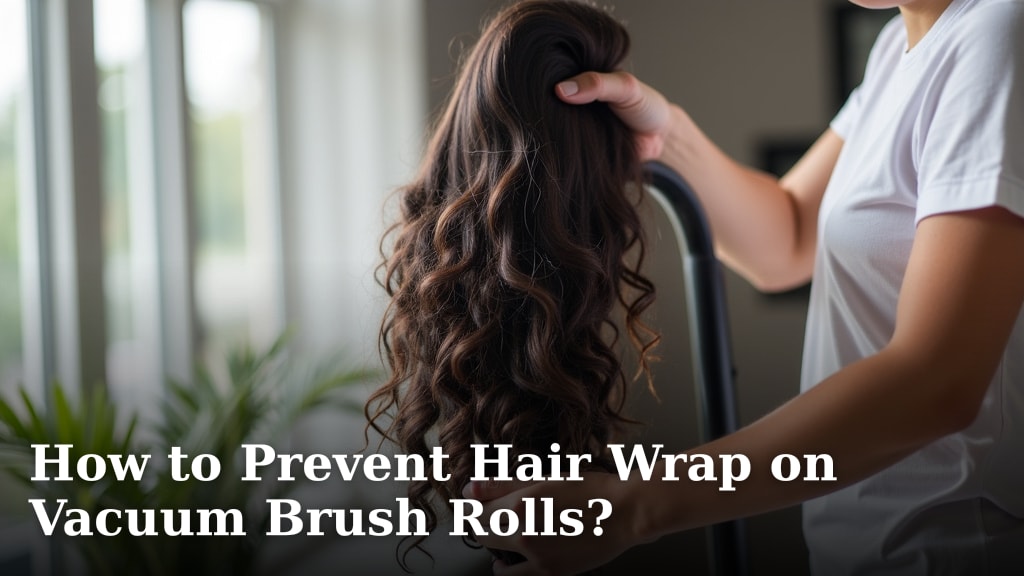
The brush roll (or beater bar) at the bottom of your vacuum does a lot of work, agitating carpets and sweeping debris. But it’s also a magnet for hair, string, and carpet fibers. When it gets tangled, it can’t spin freely.
Turn the vacuum over and use scissors to carefully cut away any tangled hair or fibers. A restricted brush roll makes the motor work harder to spin it, generating heat. Many manufacturer guidelines suggest regular brush roll cleaning (Vacuum Manufacturer’s Manual).
When Pet Hair Becomes a Problem
Pet owners know this struggle well. Pet hair can quickly clog filters, wrap around brush rolls, and create dense blockages in hoses. If you have furry friends, you might need to perform these checks more frequently. Consider a vacuum designed specifically for pet hair, as these often have better filtration and brush roll designs.
Address Worn Belts and Internal Damage
Some vacuums use a belt to drive the brush roll. If this belt is stretched, worn, or broken, the brush roll won’t spin correctly, or it will create extra friction. This can strain the motor. If you suspect a belt issue, check your vacuum’s manual for replacement instructions or consider professional help. This is where mechanical issues begin to surface. We found that most DIY users are comfortable with basic checks, but belt replacement might require a bit more mechanical confidence.
Using Your Vacuum Responsibly: Don’t Overwork It
Are you running your vacuum for really long stretches without a break? Even the best machines need a breather. Continuous use, especially on thick carpets or in large areas, can cause the motor to heat up naturally. If you’re tackling a big cleaning job, give your vacuum short breaks. Turn it off for 10-15 minutes every half hour or so to let the motor cool down. This is a simple habit that significantly reduces wear and tear.
Common Overheating Symptoms vs. Fixes
Here’s a quick overview of what to look for and what to do:
| Symptom | Possible Cause | Quick Fix |
|---|---|---|
| Vacuum shuts off abruptly | Thermal cutoff engaged, restricted airflow | Cool down, check filters/hoses |
| Motor feels extremely hot | Overworked motor due to clogs | Clean all airflow paths, empty bin |
| Loss of suction power | Full bin, clogged filter, hose blockage | Empty, clean, or clear |
| Burning smell | Overheating motor, burning belt/debris | Immediately turn off, inspect thoroughly |
When to Call a Professional?
Most overheating issues are solvable with a bit of DIY detective work. However, if you’ve gone through all the steps – cleaning, clearing, checking – and your vacuum still overheats, it might be time for expert intervention. This could indicate a faulty motor, wiring issues, or other internal component failures that are best handled by a professional repair technician. Don’t try to fix complex electrical problems yourself unless you have the right training and tools. We often suggest a professional look at issues beyond simple maintenance (Consumer Reports).
Your Overheating Vacuum Checklist:
- Did you unplug the vacuum before inspection?
- Is the dust bin empty or the bag new?
- Are all filters clean or recently replaced?
- Is the hose clear of any blockages?
- Is the brush roll free of tangled hair and debris?
- Did you give the vacuum time to cool down before restarting?
Conclusion
An overheating vacuum cleaner is usually a cry for help, signaling that its airflow is restricted or it’s being pushed too hard. By systematically checking and cleaning the filters, hose, dust bin, and brush roll, you can often diagnose and fix the problem yourself. These simple maintenance steps not only resolve overheating but also keep your vacuum running efficiently for years to come. Remember, a little preventative care goes a long way in keeping your cleaning routine smooth and your vacuum cool.
How long should I let my vacuum cool down after it overheats?
After your vacuum cleaner overheats and shuts off, you should let it cool down for at least 30 to 60 minutes. This allows the thermal cutoff switch to reset and the motor to return to a safe operating temperature before you restart it.
Can a dirty vacuum motor cause overheating?
Yes, absolutely. A dirty motor, particularly one with internal dust and debris accumulation, can hinder its cooling process. This forces the motor to work harder and generates excessive heat, leading to overheating and potential damage.
How often should I clean my vacuum filters to prevent overheating?
The frequency depends on your usage and vacuum type, but as a general rule, check and clean or replace washable filters every 1 to 3 months. Disposable HEPA filters usually need replacement every 6 to 12 months. Regular checks are key, especially if you have pets or a large home.
Is a burning smell always a sign of severe motor damage?
Not always, but it’s a serious warning sign. A burning smell can indicate an overheating motor, but it might also be caused by a burning drive belt (especially if tangled with hair), or even just hot dust particles. Turn it off immediately and inspect all components thoroughly before drawing conclusions.
My vacuum makes a strange noise and then overheats. What could it be?
A strange noise, combined with overheating, often points to a mechanical issue beyond simple clogs. This could be a worn motor bearing, a damaged fan, or a faulty drive belt. These situations usually require a professional technician to diagnose and repair.