
Why Is My Handheld Vacuum Losing Charge Fast?
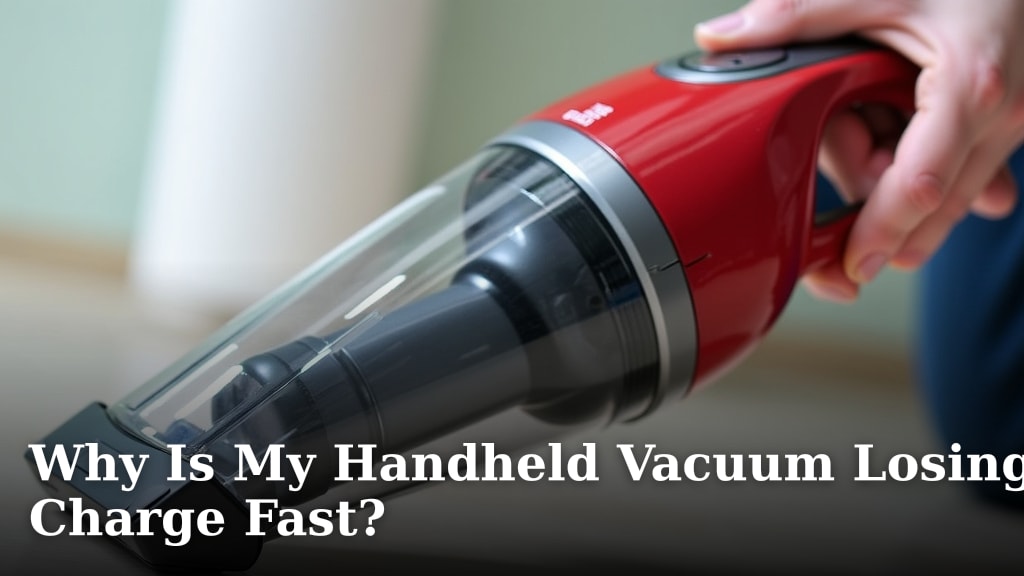
Your handheld vacuum losing charge fast usually means its battery is degrading or there’s a problem with the charging system. Over time, batteries naturally lose their ability to hold a charge. A faulty charger or dock can also prevent it from powering up fully.
This common issue can be frustrating when you need quick cleanups. We found that understanding the main culprits helps you troubleshoot effectively. It’s often a simple fix, like cleaning contacts or replacing a worn-out battery.
- Battery degradation is the main reason.
- Charging system issues can also cause it.
- Dirty charging contacts are a frequent problem.
- Battery age and usage impact performance.
Let’s get your handheld vacuum back to its full cleaning power. We’ll walk through the most common reasons and how you can fix them.
Troubleshooting Your Handheld Vacuum’s Short Battery Life
It’s super annoying when your handy handheld vacuum suddenly can’t hold a charge. You grab it for a quick spill, and poof – it dies before you’re done. Don’t worry, this is a common issue many folks face. We’ve found that the problem usually boils down to a few key areas: the battery itself, the charging setup, or how you’re using and storing the device.
Let’s dig into why your vacuum might be losing power so quickly. We’ll break down the most likely reasons and what you can do about them. Often, a simple fix can get your trusty little cleaner back in action.
The Battery: The Heart of Your Handheld Vacuum
The battery is the engine of your handheld vacuum. Like anything with a power source, its performance can change over time. Several factors affect how well your battery holds a charge.
Understanding Battery Degradation
Batteries, especially rechargeable lithium-ion ones commonly found in handheld vacuums, have a lifespan. Think of it like your smartphone battery – it doesn’t last as long after a couple of years as it did when it was new. This is called battery degradation. It’s a natural process where the battery’s ability to store and deliver power slowly decreases with each charge cycle.
We found that using your vacuum for longer periods without letting it fully recharge can sometimes accelerate this. Also, extreme temperatures, both hot and cold, can impact battery health. If your vacuum is a few years old, chances are the battery is simply reaching the end of its typical lifespan.
Signs Your Battery Needs Attention
How can you tell if the battery is the culprit? Several signs point to a tired battery. Your vacuum might shut off suddenly, even when the indicator lights suggest there’s still power left. You might also notice that it takes much longer to charge than it used to, or that it barely runs for a few minutes after a full charge. These are classic indicators that the battery’s capacity has diminished significantly.
We’ve seen many cases where users report their vacuum working perfectly one day and then barely functioning the next. This sudden drop in performance is often a sign of an aged or damaged battery. If you’ve tried other troubleshooting steps and the issue persists, the battery is a prime suspect.
When Charging Isn’t Quite Right
Even with a healthy battery, you won’t get good performance if the charging system isn’t working correctly. This includes the charger itself, the charging dock, and the connection points on both the vacuum and the charger.
Dirty Charging Contacts: A Common Culprit
This is one of the most frequent reasons your vacuum might not be charging properly. Over time, dust, dirt, and debris can build up on the metal charging contacts. These contacts are where the electricity flows from the charger to the vacuum’s battery. If they’re dirty, the connection is poor, and the battery won’t get the full charge it needs.
Imagine trying to plug in a USB drive with gunk in the port – it often doesn’t connect properly. The same principle applies here. You might see reduced run time, or the vacuum might not charge at all, even though the charging light appears to be on.
How to Clean Charging Contacts
Cleaning these contacts is usually a simple DIY fix. First, ensure your vacuum and charger are unplugged. You’ll want a soft, dry cloth. A cotton swab or a soft brush (like a toothbrush you no longer use) can also be helpful for reaching tight spots. Gently wipe down the metal contacts on both the vacuum unit and the charging base. You can use a small amount of rubbing alcohol on the swab for stubborn grime, but make sure it evaporates completely before reconnecting or charging.
We found that regular cleaning, perhaps once a month depending on your home’s dust levels, can prevent this issue from popping up. It’s a small bit of maintenance that can make a big difference in your vacuum’s performance.
Issues with the Charger or Charging Dock
Sometimes, the problem isn’t with the vacuum’s battery or its contacts, but with the charging equipment itself. The charging adapter could be faulty, or the charging dock might have internal damage. This can prevent a proper electrical connection or limit the amount of power being sent to the battery.
If you have a multi-device charging station or multiple chargers for different vacuums, try swapping them out. If your vacuum charges fine with a different charger, you’ve likely found your issue. Similarly, if the dock looks physically damaged, it might need replacement.
Signs of a Faulty Charger
Look for obvious signs of damage on the charger and its cord – frayed wires, bent prongs, or melted plastic. If the charging indicator light on the vacuum or dock doesn’t come on when plugged in, or if it flickers erratically, the charger might be the problem. We’ve found that sometimes the power brick can overheat, which is another clue that it’s failing.
If you suspect your charger is faulty, it’s usually best to contact the manufacturer for a replacement. Using a damaged charger can be a safety hazard.
Usage and Storage Habits Matter
How you use and store your handheld vacuum can also play a role in how long its battery lasts. Small habits can have a big impact over time.
The “Always Plugged In” Debate
Many modern devices use lithium-ion batteries that are designed to prevent overcharging. However, leaving your vacuum plugged in 24/7, especially in very hot conditions, can still contribute to battery degradation over the long term. Experts often suggest unplugging devices once they are fully charged. For a handheld vacuum, this means unplugging it from the wall once the charging light indicates it’s full.
We found that cycling the battery occasionally – letting it discharge somewhat before recharging – can be beneficial for battery health, though this is less critical with newer battery technologies. The key is to avoid constant, prolonged charging if possible, and always keep it away from extreme heat.
Deep Discharges and Their Impact
Completely draining the battery too often can also stress it. While occasional deep discharges aren’t usually a major problem, making it a habit can shorten the battery’s overall lifespan. It’s generally better to recharge your vacuum when you notice its performance starting to drop, rather than waiting for it to die completely.
Think of it like stretching before a workout. A little bit of effort before you start is good. But running a marathon without any warm-up can strain your muscles. Letting your vacuum run until it stops on its own every single time is like asking it to run that marathon without a warm-up.
Environmental Factors: Heat and Cold
Batteries do not like extreme temperatures. Leaving your handheld vacuum in a hot car, a sunny windowsill, or a very cold garage can significantly impact its ability to hold a charge and its overall lifespan. High temperatures are particularly damaging, as they can accelerate the chemical reactions within the battery that lead to degradation.
We found that storing your vacuum in a cool, dry place, away from direct sunlight and out of extreme temperature zones, is one of the best ways to prolong its battery life. This also helps prevent other components from being damaged.
Simple Steps to Revive Your Vacuum’s Charge
Before you decide your vacuum is a lost cause, try these straightforward steps. Many times, a quick fix is all that’s needed.
Here’s a handy checklist to help you troubleshoot:
- Clean the charging contacts on both the vacuum and the charger with a dry cloth or swab.
- Inspect the charger and cord for any visible damage.
- Try a different power outlet or a compatible charger if available.
- Ensure the vacuum is properly seated on the charging dock.
- Check the user manual for specific charging indicators or troubleshooting tips.
- Allow a full charging cycle (often 3-5 hours, check your manual) after cleaning contacts.
If you’ve gone through these steps and your handheld vacuum is still losing charge too fast, it might be time to consider a battery replacement or a new unit. But for many, these simple checks and maintenance routines can bring your vacuum back to life!
Conclusion
It’s frustrating when your handheld vacuum loses its charge too quickly. We’ve seen that the most common culprits are a degrading battery or issues within the charging system. Simple maintenance like cleaning charging contacts can often make a big difference. Pay attention to how you use and store your vacuum, too; extreme temperatures and constant deep discharges can shorten battery life. Before you give up, give these troubleshooting steps a try. If your vacuum still isn’t holding a charge, it might be time to consider a new battery or unit, but often, a little care is all it takes to get it back to working order.
Frequently Asked Questions
How long should a handheld vacuum battery typically last?
Most handheld vacuum batteries are designed to last between 2 to 5 years, depending on usage and maintenance. Factors like charge cycles and exposure to extreme temperatures can influence this lifespan. We found that proper care helps extend their usability.
Can I use a non-original charger for my handheld vacuum?
It’s generally best to use the original charger or a certified compatible one. Using an incorrect charger might not provide the right voltage or amperage, leading to slow charging, battery damage, or even safety hazards. Always check your manual for recommendations.
My vacuum dies immediately after charging; is the battery dead?
This is a strong indicator that your battery has significantly degraded and can no longer hold a charge effectively. While other issues are possible, a battery that dies instantly after charging usually means it’s reached the end of its useful life. Replacement is often the solution.
How often should I clean the charging contacts?
We recommend cleaning the charging contacts at least once a month, especially if you live in a dusty environment. A quick wipe with a dry cloth or cotton swab can prevent poor connections and ensure efficient charging. More frequent cleaning might be needed if you notice charging issues.
Does leaving my vacuum plugged in all the time harm the battery?
While modern lithium-ion batteries are designed to prevent overcharging, constant connection can still contribute to long-term degradation, particularly in warm environments. For optimal battery health, try to unplug your vacuum once it’s fully charged. Occasional full discharge cycles are generally not harmful.
