How Long Can You Run A Vacuum Cleaner?
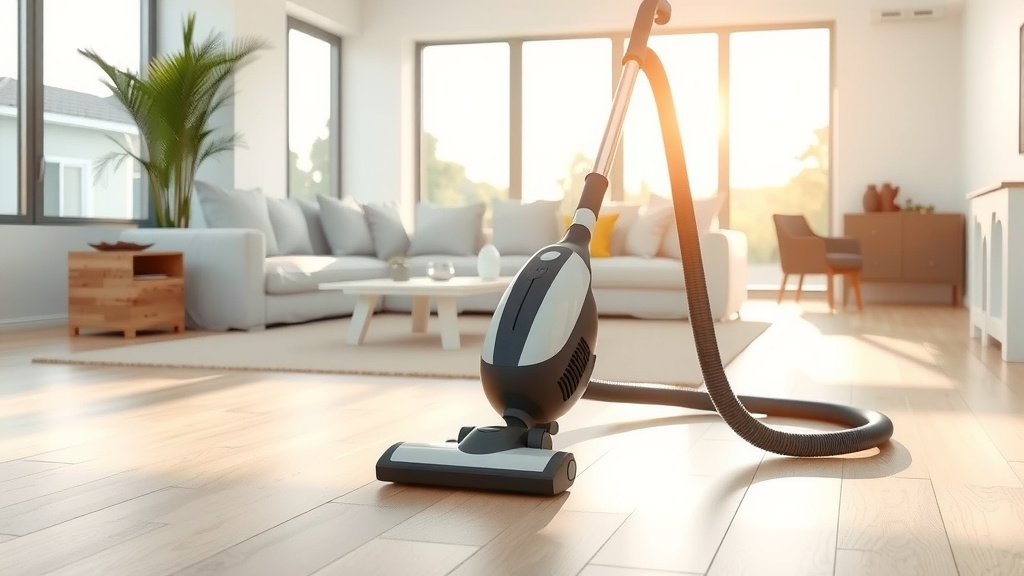
You can typically run a vacuum cleaner for a full cleaning session without issues, with corded models offering continuous operation as long as they don’t overheat, and cordless units limited by their battery life, usually 15-60 minutes.
The practical run time for your vacuum depends on its power source and maintenance, but listening for signs like reduced suction or unusual heat helps prevent damage and ensures you don’t overwork the machine.
Here’s a quick summary to help you understand your vacuum’s limits:
- Corded vacuums can run almost indefinitely unless heat builds up from blockages or full bins.
- Cordless models are restricted by battery capacity, often needing a recharge after 15-60 minutes of use.
- Overheating is the main risk for any vacuum running too long, potentially damaging the motor.
- Regular cleaning and maintenance significantly extend your vacuum’s safe operating time.
- Always pay attention to your vacuum’s performance; a drop in suction or strange smells are warning signs.
How Long Can You Run A Vacuum Cleaner?
Most corded vacuum cleaners can operate for extended periods, drawing power directly from an electrical outlet. Cordless models, conversely, are limited by their battery charge, which often provides between 15 and 60 minutes of active cleaning time.
Why Continuous Running Matters
Running any appliance continuously generates heat. For your vacuum cleaner, this heat can build up in the motor, which is the heart of the machine.
Excessive heat can degrade internal components over time, leading to reduced efficiency and even premature failure. Protecting the motor is key to a long-lasting vacuum.
Corded vs. Cordless Vacuum Cleaners: A Big Difference
The biggest factor affecting how long you can vacuum is its power source. Corded vacuums plug into the wall, giving them a constant supply of electricity.
Cordless models rely on rechargeable batteries, offering freedom of movement but with a finite run time before needing a recharge. Understanding this core difference guides your cleaning approach.
The Corded Vacuum Cleaner Advantage
Corded vacuums generally offer an advantage when it comes to run time. They don’t run out of battery power mid-clean, making them suitable for larger homes or extensive cleaning jobs.
You can vacuum multiple rooms or even an entire house in one go, provided the machine is well-maintained. This continuous power is often a top reason people choose corded models.
What Limits a Corded Vacuum’s Run Time?
While corded vacuums have unlimited electrical supply, they aren’t immune to issues that can shorten their effective run time. These issues often relate to strain on the motor, which causes overheating.
We found that problems like clogged filters or a full dustbin force the motor to work harder. This extra effort generates heat, which can lead to the machine temporarily shutting down or even permanent damage.
- Full Dustbin or Bag: When the bin or bag is packed, airflow is restricted, making the motor strain.
- Clogged Filters: Dirty filters block air, reducing suction and forcing the motor to overcompensate.
- Blocked Hose or Attachments: Any obstruction in the airflow path causes the motor to work harder.
- Motor Age and Condition: Older motors may be less efficient and more prone to overheating.
Cordless Vacuum Cleaner Realities
Cordless vacuums offer amazing convenience, but their run time is tied directly to battery life. Most batteries provide between 15 to 60 minutes of power, depending on the model and power setting.
Using higher power modes, like “turbo” or “max,” drains the battery much faster. Many experts suggest reserving these powerful modes for tough spots, saving your battery for general cleaning (Consumer Reports).
Maximizing Your Cordless Vacuum’s Battery Life
Want to get the most out of your cordless vacuum? There are some simple tricks. Start with a fully charged battery before each major cleaning session.
Utilize the standard or “eco” power mode for everyday tasks, reserving the high-power settings only for stubborn messes. Regularly cleaning the filters also helps, as a clean filter allows the vacuum to operate more efficiently, using less power.
Listen to Your Vacuum: Signs of Overheating
Your vacuum cleaner often gives clear signals if it’s struggling. Have you ever noticed a strange smell, perhaps like burning plastic or a hot electrical scent?
This is a big warning sign. Another common indicator is a noticeable decrease in suction power. Some modern vacuums even have an automatic shut-off feature to protect the motor when it gets too hot.
What to Do If Your Vacuum Overheats
If your vacuum starts acting up or showing signs of overheating, don’t panic! The first and most important step is to turn it off immediately and unplug it.
Let it cool down completely for at least 30 minutes, or even an hour. Once it’s cool, you can begin troubleshooting to find the cause of the problem. Often, it’s a simple fix.
- Unplug the Vacuum: Safety first! Disconnect it from the power source.
- Allow It to Cool: Give the motor time to return to a safe temperature.
- Check and Clean Filters: Ensure all filters are clean and free of debris.
- Empty the Dustbin: A full bin restricts airflow, causing strain.
- Inspect Hose and Attachments: Look for any blockages or clogs in the tubes.
- Clear Brush Roll: Remove tangled hair or debris from the brush roll.
Understanding Different Vacuum Cleaner Types and Their Endurance
Different types of vacuum cleaners are designed for different jobs and therefore have varying expected run times and limitations. Knowing your vacuum’s type helps you manage expectations.
For example, a small handheld vacuum is not built for a whole-house deep clean. We found that the design greatly influences how long you can comfortably and safely operate the machine.
| Vacuum Type | Typical Run Time/Limitation | Key Consideration |
|---|---|---|
| Corded Upright | Continuous (unless overheats) | Best for large, carpeted areas; consistent power. |
| Corded Canister | Continuous (unless overheats) | Versatile for multiple surfaces; good maneuverability. |
| Cordless Stick | 15-60 minutes (battery dependent) | Lightweight, quick clean-ups; battery dictates duration. |
| Robot Vacuum | 60-180 minutes (recharges automatically) | Autonomous cleaning; returns to dock when battery is low. |
| Handheld | 10-20 minutes (battery dependent) | Ideal for small spills and quick spot cleaning. |
Maintaining Your Vacuum for Longer Life and Performance
Regular maintenance is like giving your vacuum a health boost. It’s crucial for both its longevity and how long you can run it effectively. A well-maintained vacuum runs more efficiently and is less likely to overheat.
Simple habits like cleaning filters, emptying the dustbin, and checking for blockages can make a huge difference. Think of it as preventative care for your cleaning buddy.
Practical Tips for Efficient Vacuuming
To get the most out of your vacuum and reduce strain, approach your cleaning strategically. Don’t try to rush through thick debris or large messes that could clog the machine.
Pre-sweeping large crumbs or picking up big pieces of trash helps your vacuum focus on dust and fine dirt. This not only extends its safe run time but also results in a cleaner floor.
Conclusion
Understanding how long you can safely run your vacuum cleaner comes down to its power source, your maintenance habits, and paying attention to its warning signs. Corded vacuums offer the luxury of continuous power, limited mainly by overheating due to poor maintenance. Cordless models provide convenience but require mindful battery management.
By regularly cleaning filters, emptying bins, and promptly addressing any strange smells or reduced suction, you ensure your vacuum runs efficiently and lasts longer. Treat your vacuum well, and it will serve you faithfully for many cleaning sessions to come.
Can I run my vacuum for over an hour?
Yes, you can often run a corded vacuum for over an hour, especially if it’s well-maintained with clean filters and an empty dustbin. Cordless models, however, typically have battery limits of 60 minutes or less, so they may require a recharge for extended cleaning. Always monitor for signs of overheating.
What causes a vacuum to stop working suddenly?
A sudden stop often points to overheating, where the motor’s safety shut-off activates. Common causes include a full dustbin, clogged filters, blockages in the hose or brush roll, or a worn-out motor. For cordless vacuums, a depleted battery is the most frequent reason for an abrupt stop.
Is it okay to vacuum every day?
Absolutely! Vacuuming every day is perfectly fine for your vacuum cleaner and can help maintain a cleaner home, especially in high-traffic areas or homes with pets. Daily, shorter runs are often less strenuous on the vacuum than infrequent, very long, intensive cleaning sessions. Just ensure you perform regular basic maintenance like emptying the bin.
How often should I clean my vacuum’s filter?
We found that most manufacturers recommend cleaning or replacing vacuum filters every 3 to 6 months, or more frequently if you have pets or allergies. However, it’s wise to check your filter regularly, perhaps monthly, especially if you notice a decrease in suction. A clean filter is crucial for optimal performance and motor longevity.
Does a full dustbin affect performance?
Yes, a full dustbin significantly affects your vacuum’s performance. When the dustbin is too full, it restricts airflow, forcing the motor to work much harder to maintain suction. This leads to reduced cleaning effectiveness, increased motor strain, and a higher risk of overheating. Always empty your dustbin before it reaches its maximum fill line.