
Why Is My Robot Vacuum Missing Spots?
Your robot vacuum is missing spots because of common navigation issues, like getting stuck or confused by obstacles. Things like clutter, dirty sensors, or even old batteries can stop it from cleaning your whole home. It’s usually an easy fix!
You probably got a robot vacuum to make your life easier, right? But when it leaves dirty patches, it feels more like a chore than a helper. We found that understanding why these gaps happen is the first step to getting your floors sparkling clean. Don’t worry, most problems are simple to sort out.
TL;DR:
- Obstacles block cleaning paths.
- Dirty sensors confuse the vacuum.
- Outdated maps lead to missed areas.
- Low battery stops cleaning midway.
- Maintenance keeps your vacuum working.
Let’s look into the common reasons why your robot vacuum is missing spots and how you can get it back on track to clean every inch of your home.
Why Your Robot Vacuum Struggles to Clean Everywhere
It’s frustrating when your robot vacuum misses spots. You expect a fully clean home, but find dirty patches instead. Often, it comes down to a few common issues that disrupt its cleaning path or its ability to see where it’s going. Let’s dig into these and get your bot back on track.
Navigation Nightmares: When Your Robot Gets Lost
Robot vacuums use various methods to navigate your home. When these methods go wrong, your bot might skip entire areas. Think of it like trying to drive somewhere new without a reliable GPS.
Mapping Mayhem: Outdated or Incorrect Floor Plans
Many modern robot vacuums create an internal map of your home. If this map gets corrupted or isn’t updated after furniture changes, your vacuum might simply “forget” a room. We found that clearing and re-mapping your home can often fix this issue.
- Old Maps: Did you move a couch? Add a rug? Your vacuum might still be following an old blueprint.
- Incomplete Scans: Sometimes the first mapping run isn’t perfect, leaving blank spots.
- Software Glitches: Like any tech, your robot’s software can sometimes hiccup and lose its way.
Obstacle Overload: When Clutter Becomes a Barrier
Your robot vacuum isn’t a magical beast that can phase through objects. If there are too many things on the floor, it will try to avoid them. This leads to large sections remaining dirty. A little pre-cleaning goes a long way (Consumer Reports).
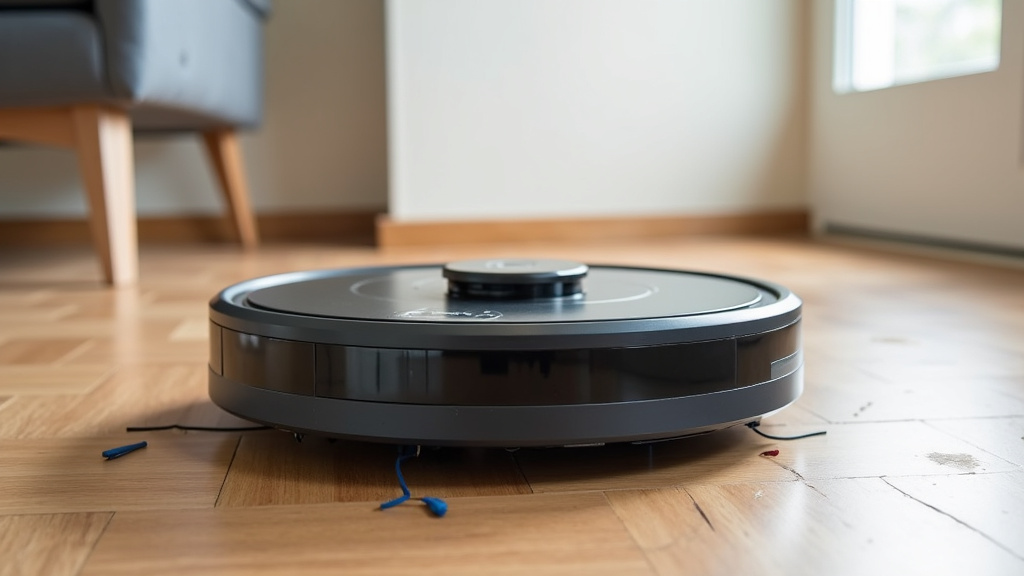
Loose cables, discarded toys, and even pet bowls can be major roadblocks. Your robot might just get stuck, or it might interpret the clutter as a permanent wall, and simply clean around it.
Sensor Shenanigans: Your Robot’s Eyes and Ears
Your robot vacuum relies heavily on its sensors to “see” your home, avoid drops, and detect dirt. When these sensors aren’t working right, it’s like trying to clean with a blindfold on. We’ve found that dirty sensors are a surprisingly common culprit for missed spots.
Dirt and Dust: The Enemy of Clear Vision
Think about how smudged glasses make it hard to see. Your robot’s cliff sensors, bumper sensors, and wall-following sensors can get covered in dust and grime. This makes them less effective or even completely useless. A quick wipe-down can make a huge difference.
Many experts recommend regularly cleaning all visible sensors (Robot Vacuum Guide).
Sunlight and Dark Surfaces: Confusing Cues
Some robot vacuums, especially those with optical cliff sensors, can get confused by direct sunlight. The bright light might trick them into thinking there’s a cliff. Similarly, very dark carpets or floors can sometimes be mistaken for a drop-off point, causing the robot to avoid them.
If your robot avoids a particular dark rug, try placing a lighter object in its path during a mapping run to see if it makes a difference. You might need to adjust cleaning schedules to avoid peak sunlight hours in certain rooms.
Power Problems: When Your Robot Runs Out of Juice
A robot vacuum needs consistent power to complete its tasks. If it can’t hold a charge or finds itself too far from its charging dock, it might simply give up halfway through.
Weak Batteries: The Slow Fade of Power
Like any rechargeable device, your robot vacuum’s battery will degrade over time. An aging battery won’t hold a charge for as long. This means it might clean only a portion of your home before needing to return to its base, leaving large sections untouched.
If your robot is getting older, or if you notice it’s cleaning for shorter periods, a battery replacement might be needed. Most manufacturers sell replacement batteries, and it’s often an easy DIY fix.
Docking Dilemmas: Failed Recharges
Sometimes, the issue isn’t the battery itself, but the robot’s ability to successfully recharge. If your robot can’t find its charging dock, or if the connection is poor, it won’t get the power it needs. Obstructions near the dock can be a common cause.
Make sure the area around the charging dock is clear, usually about 3 feet on each side and 5 feet in front. Check that the charging contacts on both the robot and the dock are clean and free of debris.
Design and Programming: Not All Robots Are Equal
While we often think of robot vacuums as perfect cleaners, their design and programming can also play a role in their cleaning effectiveness. Some models are simply better suited for certain home layouts.
Random vs. Smart Navigation: The Cleaning Approach
Older or less expensive robot vacuums often use a more “random” cleaning pattern. They bump around and change direction, hoping to cover everything eventually. This method is inherently less efficient and more likely to miss spots than vacuums with smart, systematic navigation.
Higher-end models use cameras or LiDAR (light detection and ranging) to create a precise map and follow a methodical, back-and-forth pattern. If your robot seems to wander aimlessly, its navigation system might be the root cause of those missed spots.
Software Updates: Keeping Your Bot Smart
Robot vacuum manufacturers often release software updates. These updates can improve navigation algorithms, fix bugs, and enhance overall cleaning efficiency. Outdated software can lead to suboptimal performance.
Check your robot vacuum’s companion app for available updates. Keeping the software current is an easy way to ensure your bot is using its best brain.
The Fix-It Checklist: Getting Your Robot Back on Track
Don’t throw in the towel just yet! Most missed spot issues are simple to resolve. Here’s a quick checklist to help you troubleshoot your robot vacuum:
- Clear the clutter: Pick up loose cables, toys, and small items before cleaning.
- Clean all sensors: Use a dry cloth to wipe down cliff, bumper, and wall sensors.
- Inspect charging contacts: Ensure the contacts on both the robot and the dock are clean.
- Check for map issues: Consider re-mapping your home if your layout has changed.
- Update software: Check your app for any pending firmware updates.
- Replace the battery (if old): A fresh battery can revive an aging robot’s cleaning power.
When to Consider Professional Help or an Upgrade
You’ve tried everything, but your robot vacuum is still missing spots. When do you throw in the towel and consider other options? If your robot is old, or if you’ve exhausted all troubleshooting steps, it might be time to think about its future.
| Problem Scenario | Potential Action |
|---|---|
| Robot is several years old and battery life is very short. | Replace battery, or consider a newer model for better tech. |
| Persistent navigation errors despite cleaning and re-mapping. | Contact customer support; may be a hardware defect. |
| Old model with only random navigation and a large, complex home. | Upgrade to a robot with smart mapping and systematic cleaning. |
| Robot repeatedly gets stuck in the same spot, even with clear path. | Physically block off that area, or contact support for advice. |
Sometimes, the robot vacuum has simply reached the end of its life, or it’s not the right fit for your home. Newer models often come with vastly improved navigation, stronger suction, and better battery life. Don’t be afraid to evaluate if an upgrade is worth it for a consistently clean home.
Conclusion
It’s frustrating when your robot vacuum misses spots, but as we’ve seen, the causes are usually simple and fixable. From tidying up clutter to wiping down sensors or updating software, a little attention can make a big difference. We found that regular maintenance and a quick check of common issues will get your robot back to cleaning every inch of your home.
Don’t let dirty patches win! Take a few minutes to troubleshoot using our checklist, and you’ll likely enjoy perfectly clean floors again. If all else fails, consider if an upgrade to a smarter model might be right for your home.
Frequently Asked Questions
How often should I clean my robot vacuum’s sensors?
You should aim to clean your robot vacuum’s sensors at least once a week, or more frequently if you have pets or a particularly dusty home. A quick wipe with a dry microfiber cloth is usually all it takes to prevent dust buildup from affecting its navigation.
Can Wi-Fi issues affect my robot vacuum’s cleaning performance?
Yes, Wi-Fi issues can indirectly affect performance. While your robot cleans autonomously, it often relies on Wi-Fi for map updates, software downloads, and sending cleaning reports. Poor Wi-Fi might prevent it from getting important updates that improve navigation or from saving accurate maps of your home.
My robot vacuum always misses the same corner. What can I do?
If your robot consistently misses the same corner, check for any subtle obstacles like a floor lamp base, a loose rug edge, or even a slight change in floor height that might confuse its sensors. Sometimes, gently guiding it into that area during a supervised cleaning run can help it learn the space better.
Is it better to have my robot vacuum clean daily or a few times a week?
The best frequency depends on your home’s needs. Daily cleaning is great for maintaining tidiness, especially with pets. If your robot is missing spots, increasing the frequency might help it eventually cover all areas, but it’s usually better to fix the underlying issue first.
How do I know if my robot vacuum’s battery needs replacing?
Signs your battery needs replacing include significantly shorter cleaning times, the robot failing to return to its dock, or it stopping mid-cycle despite having supposedly enough charge. Most robot vacuum batteries last 1-3 years depending on usage, so check your model’s expected lifespan.
